A security group and a network ACL both filter traffic inside a VPC, but they work at different layers and follow opposite default rules. A security group is a stateful, instance-level, allow-only firewall. A network ACL is a stateless, subnet-level firewall that allows and denies. On SAA-C03 practice tests, most wrong answers come from applying one feature's behaviour to the other. This article separates the two, then walks through a small VPC exercise that makes the difference visible instead of memorised.
Security groups: the instance-level, stateful allow-list
A security group controls the traffic that is allowed to reach and leave the resources it is associated with, such as an EC2 instance, acting as a virtual firewall at the instance level (AWS security group documentation). You attach one or more security groups to a network interface, and each rule states a source or destination, a port and a protocol.
Security groups support allow rules only. There is no way to write a deny rule inside a security group (AWS infrastructure security comparison). To block a specific address, leave it out of every allow rule, or move that decision to a network ACL. This gap is one reason the two features get paired on exams.
Security groups are stateful. If you send a request from an instance, the response traffic is allowed back in regardless of the inbound rules. The same holds in reverse for inbound requests (AWS security group documentation). You still open the port needed for the initial request, but return traffic does not need its own rule.
AWS creates a default security group for every VPC. Its inbound rule allows traffic only from other resources in the same security group. Its outbound rule allows all traffic (AWS default security group documentation). This self-referencing inbound rule is why instances in the default security group can talk to each other right away. Nothing outside that group can reach them until you add a rule.
Some traffic bypasses security group rules even when a rule would seem to block it. DNS, DHCP, EC2 instance metadata, ECS task metadata, Windows license activation and the Amazon Time Sync Service all pass through regardless of your rules. So does traffic from the reserved default VPC router address (AWS security group documentation). AWS also documents quotas on security groups per VPC, rules per security group and security groups per network interface. The exact numbers are adjustable service quotas, so check the current values before designing around a specific count. There is no additional charge for using security groups (AWS security group documentation).
Network ACLs: the subnet-level, stateless allow and deny list
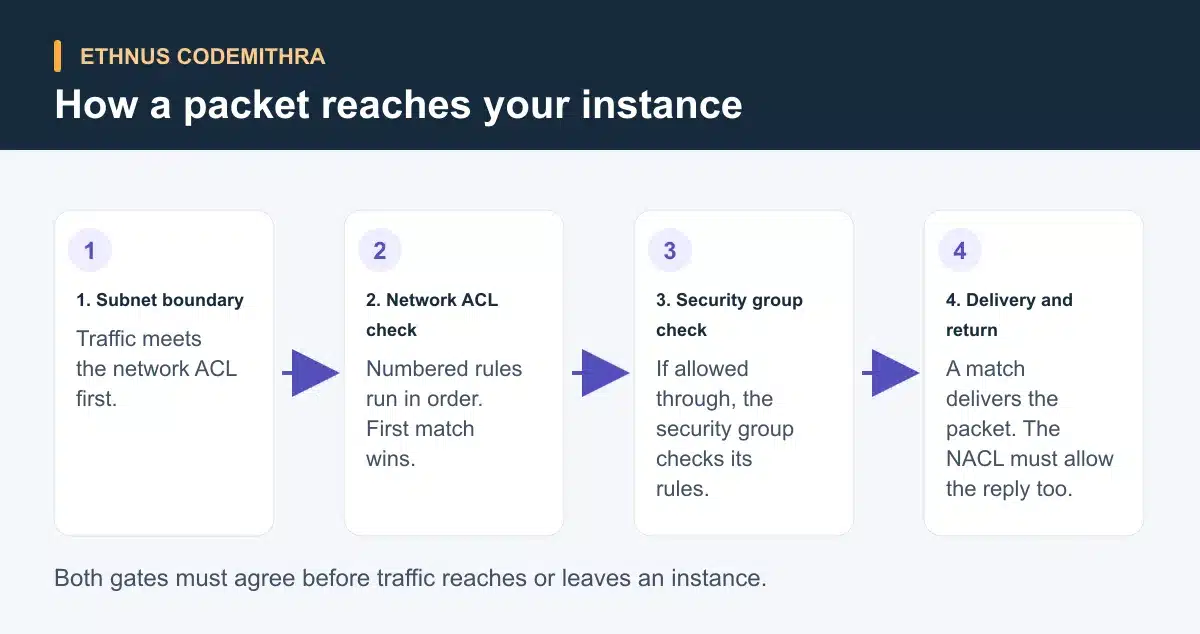
A network ACL allows or denies specific inbound or outbound traffic at the subnet level (AWS network ACL documentation). Every subnet must be associated with exactly one network ACL, default or custom, at any given time. One custom network ACL can serve several subnets. A custom network ACL adds a second layer of control that applies to every instance in the subnet, whatever security group each instance carries.
Network ACL rules carry a number from 1 to 32,766, and AWS evaluates them in ascending order starting with the lowest number. The first rule that matches the traffic is applied, and evaluation stops there (AWS network ACL documentation). A low-numbered deny rule can therefore block traffic that a later, higher-numbered allow rule would otherwise have permitted. This ordering is a common source of exam-style trick questions.
Network ACLs are stateless. Allowing inbound traffic on a network ACL does not automatically allow the matching response. The outbound direction needs its own explicit rule, unlike the stateful behaviour of a security group (AWS network ACL documentation). Forgetting an outbound rule on a custom network ACL is a frequent cause of one-way connectivity during troubleshooting.
AWS creates a default network ACL for every VPC. It allows all IPv4 and IPv6 traffic in both directions, through explicit allow rules numbered 100 and 101. Every network ACL also carries an unnumbered asterisk rule that denies any traffic no other rule matched. This asterisk rule cannot be deleted (AWS default network ACL documentation).
Network ACLs share the same DNS, DHCP, instance metadata, time-sync and license-activation exclusions as security groups. They also cannot block Route 53 Resolver DNS requests or traffic to the Instance Metadata Service (AWS network ACL documentation). There is no additional charge for using network ACLs (AWS network ACL documentation).
Side-by-side: the official comparison
AWS publishes a direct comparison table for these two features. The table below reproduces it, checked against the official AWS VPC documentation on 8 September 2026 (AWS infrastructure security comparison).
| Security group | Network ACL | |
|---|---|---|
| Level of operation | Operates at the instance level | Operates at the subnet level |
| Scope | Applies only to instances specified when it is associated with a network interface | Applies to all instances in the subnet it is associated with |
| Rule type | Supports allow rules only | Supports allow and deny rules |
| Rule evaluation | Evaluates all rules before deciding whether to allow traffic | Processes rules in number order, starting with the lowest, when deciding whether to allow traffic |
| Return traffic | Stateful: return traffic is automatically allowed, regardless of any rules | Stateless: return traffic must be explicitly allowed by rules |
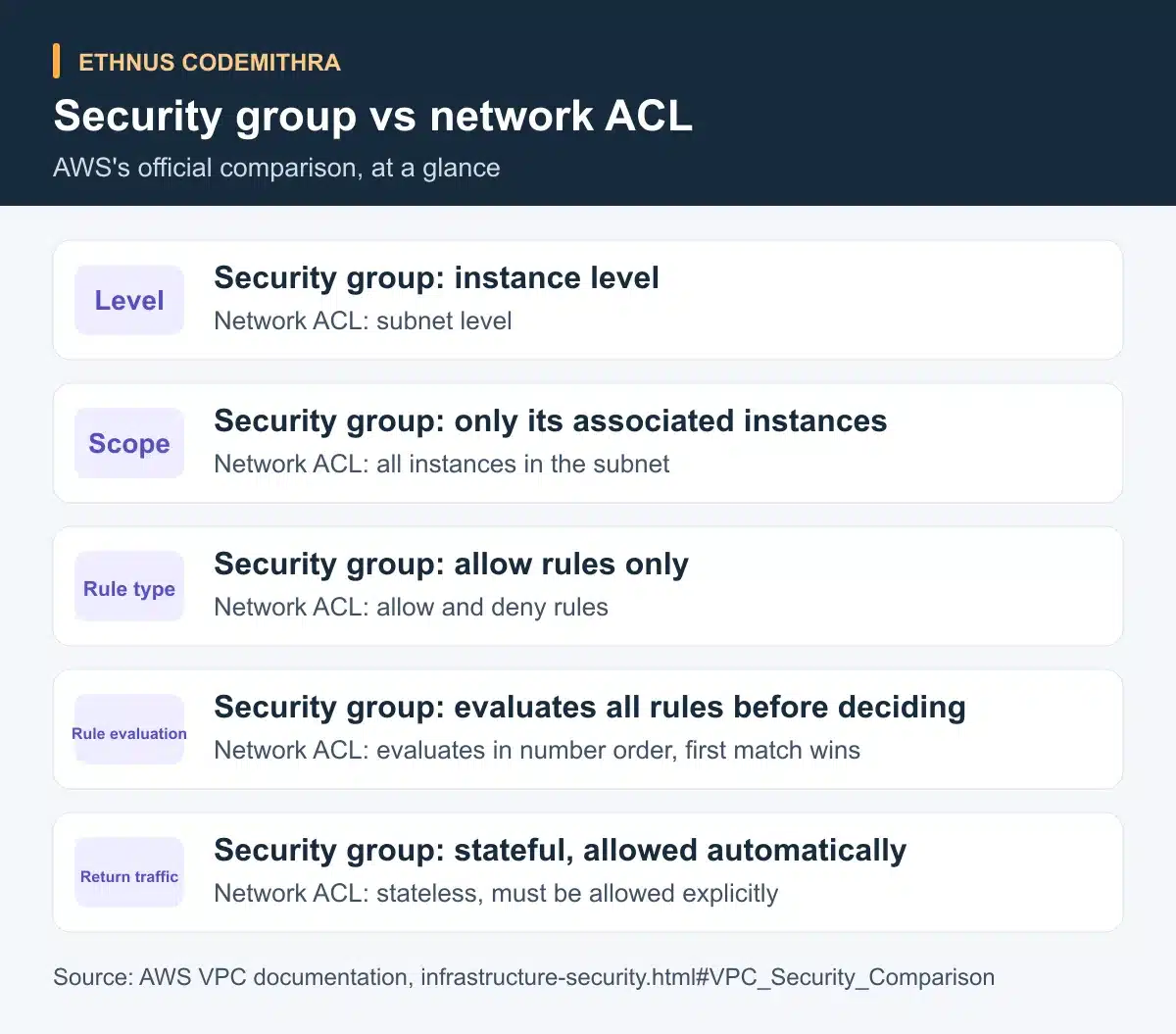
AWS recommends security groups as the primary way to control access to resources. Network ACLs act as a stateless, coarser secondary control. They help if an instance is ever launched into a subnet without the security group you intended (AWS infrastructure security guidance).
A hands-on VPC exercise to see the difference
This is a suggested learning exercise you can run in your own AWS account. It is not a claim that a specific Ethnus batch includes this exact lab. Treat it as independent practice that pairs with the SAA-C03 networking domain.
- Create one VPC with one public subnet. Launch one EC2 instance in that subnet, with a security group that allows inbound SSH or RDP from your own IP address.
- Confirm you can connect. This works because the default network ACL already allows all traffic in both directions, and your security group allows the specific inbound port.
- Replace the default network ACL association on the subnet with a new custom network ACL. A custom network ACL denies everything by default until you add rules. Your connection now fails.
- Add an inbound allow rule on the custom network ACL for your connection port, but leave the outbound rules untouched. The connection still fails. The network ACL is stateless, so the response traffic needs its own outbound allow rule.
- Add the matching outbound allow rule, using an ephemeral port range for the response. Confirm the connection now succeeds. Then remove the inbound allow rule on the security group instead, leaving both network ACL rules in place, and confirm the connection fails again.
Each step isolates one gate. Step 3 shows that a network ACL denies by default once you stop using the AWS-managed default. Step 4 shows statelessness directly: an inbound allow rule alone is not enough. Step 5 shows that even a fully open network ACL cannot substitute for a security group rule, because both gates must independently allow the traffic.
Where this fits an SAA-C03 study plan
Ethnus's AWS Solutions Architect Associate course targets the AWS Certified Solutions Architect - Associate (SAA-C03) credential. It includes a networking module covering VPC and Direct Connect. Running the exercise above alongside that module gives you a reference for exam questions that describe a connectivity problem. You can then work out whether a security group or a network ACL rule is missing.
The course also includes lab and sandbox access with step-by-step walkthroughs and unlimited attempts. Live sessions with trainers let you bring a misconfiguration, like the one in step 4 above, and ask why it behaves that way. Placement preparation in the course covers a resume building workshop, practice interviews and continuous placement opportunities.
Key takeaway
A security group is a stateful, instance-level firewall that supports allow rules only, and automatically permits return traffic. A network ACL is a stateless, subnet-level firewall that supports both allow and deny rules, evaluated in ascending rule-number order. Every direction needs its own explicit rule. Traffic must clear both gates on the way in and out. The network ACL guards the subnet boundary, and the security group guards the instance.
Frequently asked questions
Which one should I configure first, a security group or a network ACL?
Most VPCs work correctly using only the default network ACL, which allows all traffic, plus a security group you configure per instance. Add a custom network ACL only when you need a subnet-wide rule. It should apply no matter which security group an instance has (AWS infrastructure security guidance).
Can a network ACL block traffic that a security group allows?
Yes. Traffic must pass the network ACL before it reaches the instance's security group. A network ACL deny rule stops traffic even if every security group on the instance would have allowed it.
Why did my connection fail after I added an inbound rule to my custom network ACL?
Because network ACLs are stateless, an inbound allow rule does not permit the response. Add a matching outbound rule, typically for the ephemeral port range your client uses, before testing again (AWS network ACL documentation).
Do security groups or network ACLs cost anything to use?
No. AWS documents no additional charge for using either security groups or network ACLs (AWS security group documentation).
Is this comparison specific to the SAA-C03 exam?
The underlying AWS behaviour is not exam-specific. It is how VPC networking works in any account. The comparison shows up often on SAA-C03 practice tests. It tests whether you can tell a stateful, instance-level control apart from a stateless, subnet-level one. SAA-C03 is the code for the current AWS Certified Solutions Architect - Associate exam (AWS certification page).
Practise this exercise inside a working VPC setup, with a trainer on hand when a rule does not behave as expected. Start with Ethnus's AWS Solutions Architect Associate course.